Photo to coloring page app
If you want a simple way to turn a family photo into a printable coloring page, you need two things: clean outlines and a print ready PDF. This page explains what to look for in an app and how to get consistent results.
- Fast preview to confirm the outlines
- A4 PDF output for home printing
- Simple workflow that parents can repeat
Related: Pillar page · Pick a better photo · Print at home
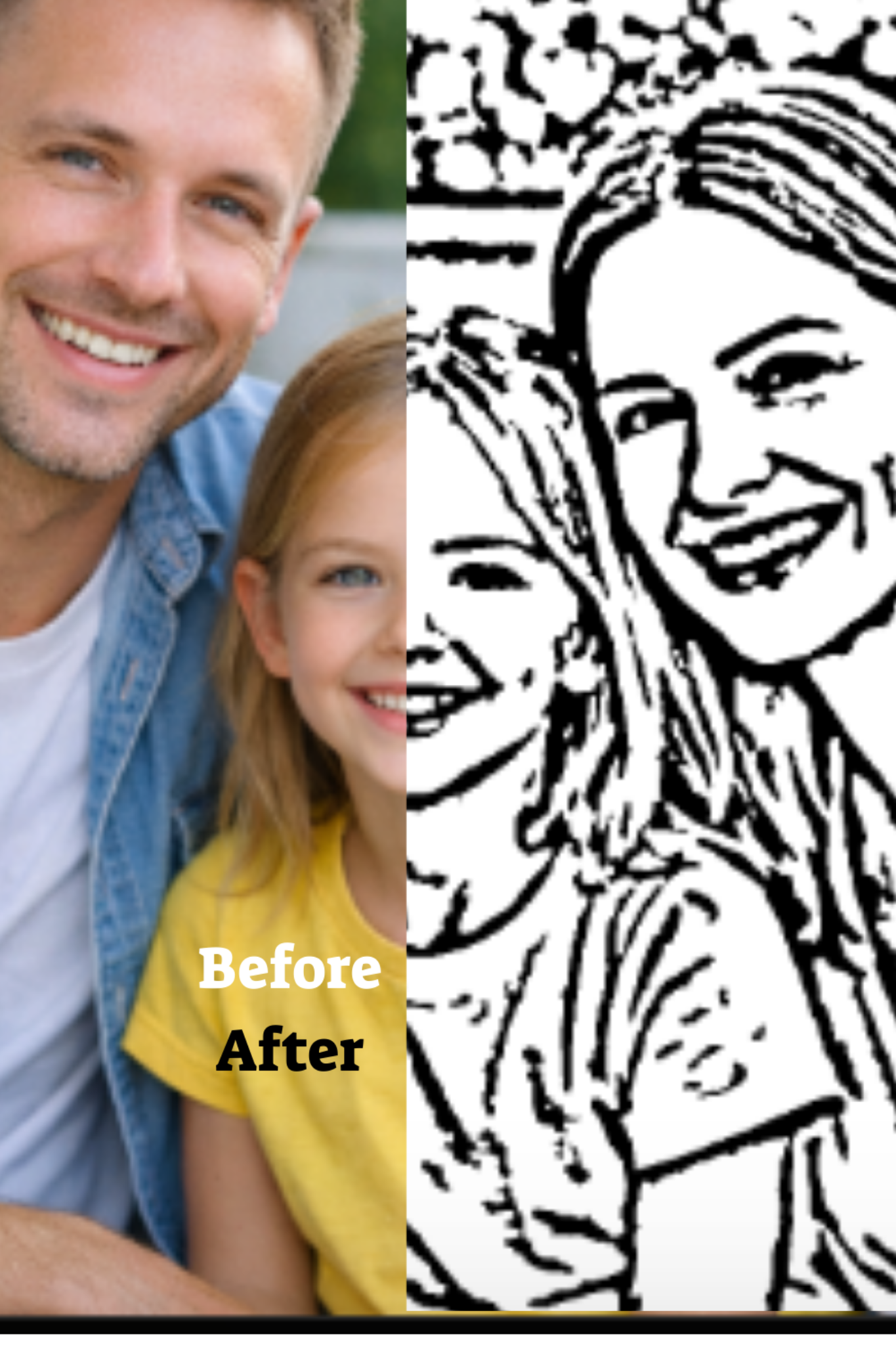
What a photo to coloring page app should do
Many tools can convert a photo into black and white, but a coloring page needs more than that. It needs stable outlines, enough open space to color, and a clean print format. A good app focuses on clarity, not just effects.
If you want the full end to end hub, use: Photo to coloring page. That hub is the primary guide. This page supports it by targeting app intent searches.
Features that matter
Preview first
You should see an outline preview before you commit. This prevents wasted prints and poor results. If the preview looks too busy, you can switch photos and try again.
Printable PDF output
PDFs keep lines sharp. If an app only exports images, printing often introduces scaling or quality loss. A4 PDF output is the cleanest workflow for families.
Simple input
Parents want one upload, one preview, one final file. Complex editing tools are unnecessary for this use case. Simplicity is a feature.
Kid friendly results
Fewer clean lines are better than many thin lines. Good tools preserve faces and main shapes while removing background noise.
Best results checklist
- Choose a clear photo with good light.
- Use a simple background or crop tighter.
- Confirm the preview shows recognizable faces and clean outlines.
- Print from the PDF at 100 percent or Actual size.
If you want a deeper guide on choosing photos, read: What makes a good photo for a coloring page. For printing, read: How to print coloring pages at home.
FAQ
Is this an app or a website?
Some tools run in a browser and still feel like an app. The key is the workflow: upload, preview, PDF. Start here: Create a coloring page.
Do I need editing skills?
No. If you have a good photo, the preview step should be enough. If previews look noisy, pick a simpler photo.
Can I print on a home printer?
Yes. Most home printers handle line art well. Use A4 paper if available and print at Actual size.
Next step
Try it now with your best photo: Create a coloring page. For the full guide, go to: Photo to coloring page.
Back to the pillar: Turn family photos into printable coloring pages.
Ready to create your coloring page
Upload a photo, preview the result, then choose a plan and receive your printable A4 PDF by email.